From Gaussian splats to playable browser environments
A captured room can look convincing before a game character is able to stand in it. That gap is the subject of Iakov Sumygin’s PlayCanvas walkthrough on turning a Gaussian splat into a videogame. Published in April, it remains a useful catch-up read for developers interested in bringing scanned environments into browser games.
The example combines a scan by Christoph Schindelar with collision, navigation, lighting information, and an FPS game loop. The important distinction is that a visual representation of a place does not automatically supply every system needed to play inside it.
Give the scene something to collide with
A Gaussian splat represents appearance through many small elements rather than a conventional triangle surface. The collision generation guide explains how PlayCanvas’s splat-transform tool can produce voxel data and a separate collision mesh from a scan.
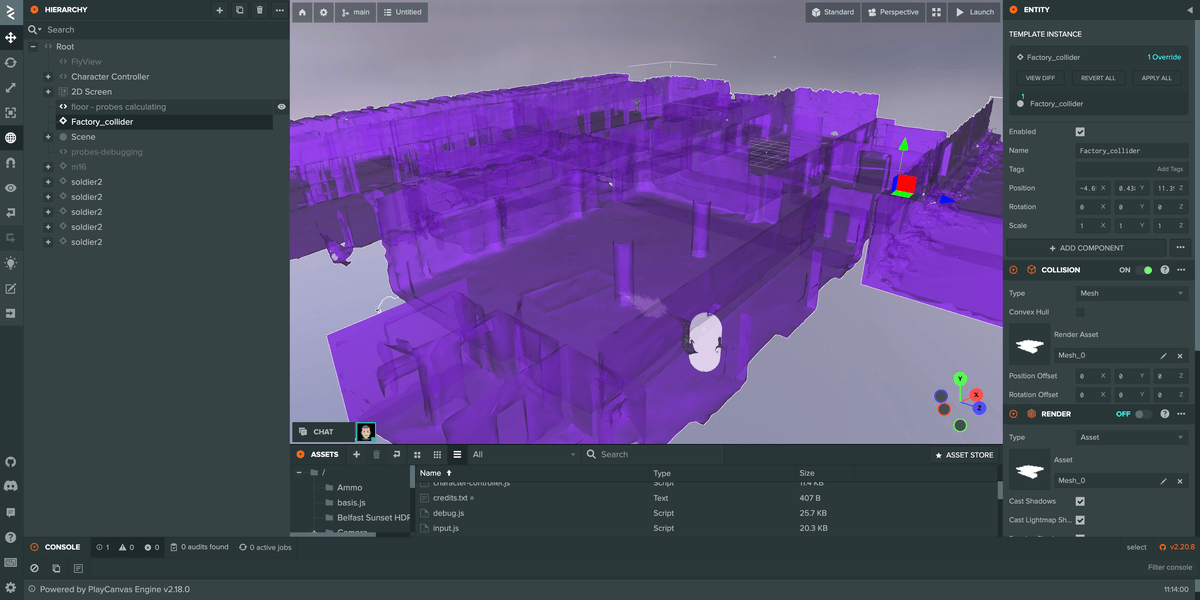
That gives a game an additional representation of the same space, one suitable for physical queries. The visible wall and the surface used by collision need to agree closely enough for the intended interaction. A convincing image does not help if the player catches on an invisible edge or walks through something that appears solid.
Start with a short route through the environment. Walk through a doorway, approach a corner, and test a change in floor height. Use a visible debug representation while checking the route. It is easier to diagnose a troublesome boundary when you can see what the physics system believes is there.
Our Phaser Box2D coverage concerns a different, 2D workflow, but the habit of inspecting collision separately is useful in both cases. The artwork and the shapes used by the simulation answer different questions.
Help moving objects belong in the room
The PlayCanvas example samples brightness through a grid of probes and uses that information for ordinary mesh objects placed in the scanned environment. It also adds a Recast navigation mesh for NPC movement. These are separate jobs: an object needs to look as if it belongs in the scene and know where it can move.
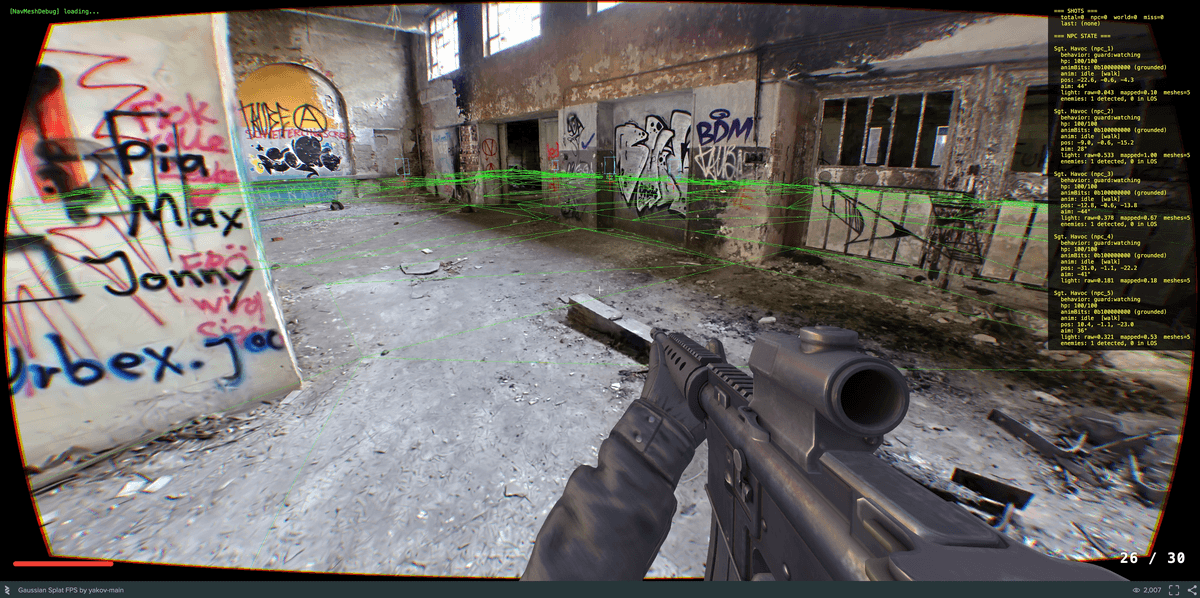
Try placing one simple object in a bright part of a captured room, then another in a darker corner. Look at the difference between them and the surroundings. Even before building a detailed lighting system, that comparison can expose why an otherwise well-modelled object seems disconnected from the background.
Navigation deserves its own test. Pick destinations at different heights and behind obstacles. A route that works for the camera may not be wide enough for a character, and a route that exists geometrically may still be poor for combat or exploration. Give the game’s movement rules a say in which areas should be reachable.
Budget for getting the world into the browser
The Streamed SOG guide describes preparing levels of detail for progressive loading. Rather than requiring every part of a large capture at full detail immediately, the format supports organising data for selective streaming.
Choose a realistic starting position and measure the journey from opening the page to being able to move. Then travel toward an area that has not yet been visited. Initial loading and loading during play are different experiences, and both can interrupt a game.
Keep an eye on the whole scene, including textures, sounds, scripts, and collision data. Test the lower end of the devices you intend to support before building the entire design around a capture that only runs comfortably on your development machine.
For another approach to browser-based 3D authoring, revisit Rogue Engine. And for a very different exercise in representing a city with limited resources, City in a Bottle is a reminder that visual ambition can take many forms.
Start with an interaction, then expand
A small room with a clear objective is enough for a first prototype. Place one item to find, one obstacle to navigate, and an obvious endpoint. That gives collision, lighting, and loading a concrete purpose while you work out what the scan contributes to the game.
Follow the original walkthrough to its playable demo and public project. Use the current tool documentation for the conversion steps, and keep checking the route your player actually needs to take.

HTML5 Game Developer, Enclave Games indie studio founder, js13kGames competition creator and Gamedev.js Weekly newsletter publisher. Mozilla Tech Speaker, Gamedev.js community firestarter. Organizes meetups / workshops / hackathons in Poland, passionate about new, Open Web technologies, excited about WebXR and PWAs. Likes eating sushi and playing Neuroshima Hex.